Cooper Reagan
539 posts

How to Start VNC Server in Linux from PuTTY
What you will read?1 Step 1: Connect to Linux via PuTTY2 Step 2: Start the VNC Server3 Step 3: (Recommended) Tunnel VNC Over SSH with PuTTY First, make sure you already have: A VNC server (like TigerVNC) installed and configured on your Linux machine A desktop environment installed (XFCE, GNOME, etc.) PuTTY installed on your…

How to start VNC server from command line?
What you will read?1 Step-by-step: Start VNC Server from Terminal2 Customize VNC Server Startup (e.g. Desktop Environment) To start a VNC server from the command line on a Linux system (like Ubuntu), you can follow these steps. I’ll use TigerVNC as the example since it’s one of the most commonly used VNC servers. Step-by-step: Start…

How to Upgrade from Ubuntu 24.04 to Ubuntu 24.10
What you will read?1 1. Make sure your system is up to date:2 2. Enable upgrade to non-LTS releases:3 3. Start the upgrade process:4 4. After upgrade: ⚠️ Warning: Upgrading to a non-LTS version from an LTS can introduce instability. It’s better suited for developers or testers. 1. Make sure your system is up to…

What is the default folder for Syncthing Windows?
What you will read?1 Change the Default Folder Path in Syncthing (Windows)2 Run Syncthing as a Windows Service On Windows, the default folder used by Syncthing to store shared or synchronized files is usually: C:\Users\<YourUsername>\Sync So, for example, if your Windows username is Ali, the default folder would be: C:\Users\Ali\Sync This folder is created automatically…
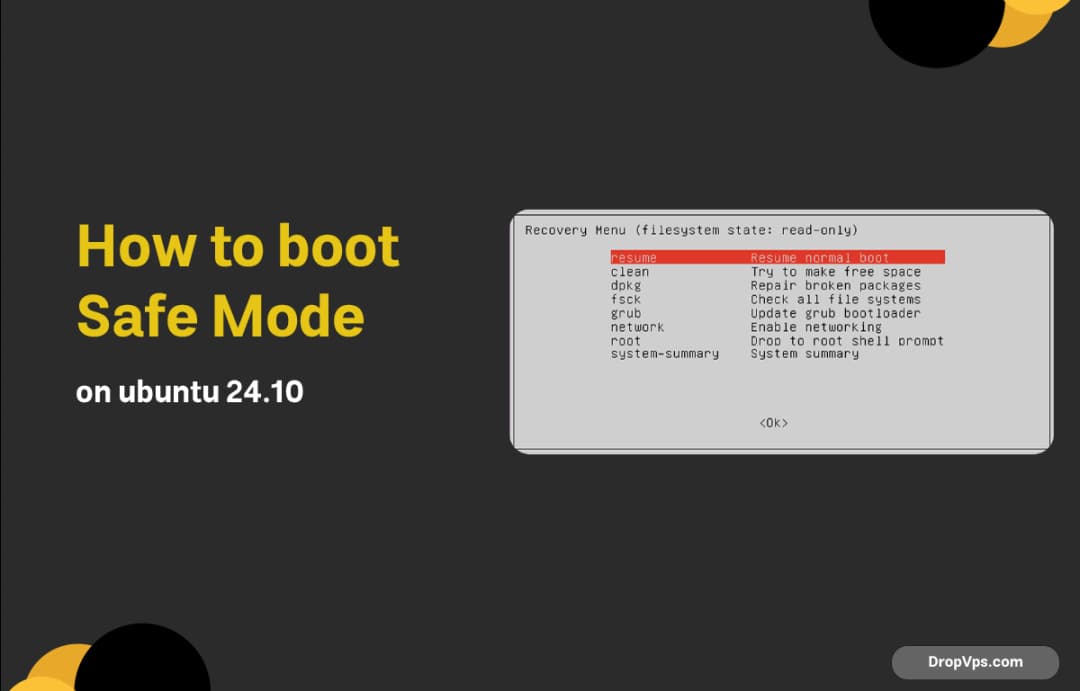
How to Boot Safe Mode on Ubuntu 24.10?
Safe Mode in Ubuntu is called Recovery Mode, and it’s built into the GRUB bootloader. Here’s how to access it: First, restart your system. While the system is booting up, hold the Shift key (for BIOS systems) or press Esc repeatedly (for UEFI systems). This will bring up the GRUB boot menu. Once you’re in…

How to install TigerVNC server on ubuntu 24.04
First, make sure your system is up to date: sudo apt update && sudo apt upgrade -y Then, install the desktop environment. Ubuntu Server doesn’t come with a GUI by default. For a lightweight option, install XFCE: sudo apt install xfce4 xfce4-goodies -y Next, install the VNC server. We’ll use TigerVNC, which works well with…
How to setup Syncthing on Windows?
What you will read?1 Step 1: Run Syncthing2 Step 2: Set Syncthing to Start Automatically3 Step 3: Add a Folder to Sync4 Step 4: Connect Another Device5 Step 5: Optional – Install Syncthing as a Windows Service Download Syncthing from the official website. Choose the Windows (64-bit) version. Extract the downloaded ZIP file to a…

How to install pip on windows server 2025
What you will read?1 Step 1: Download get-pip.py2 Step 2: Install pip using the downloaded script3 Step 3: Add pip to System PATH (if needed)4 Step 4: Upgrade pip (optional but recommended) First, make sure Python is installed on your Windows Server 2025. If not, download the latest version of Python from the official website,…
How to disable LUKS encryption in Ubuntu 24.10?
What you will read?1 Step 1: Boot into a Live USB session2 Step 2: Unlock the LUKS volume3 Step 3: Mount the decrypted volume4 Step 4: Create a new unencrypted partition5 Step 5: Copy all data6 Step 6: Reinstall GRUB on the new unencrypted disk7 Step 7: Test the new unencrypted system Disabling LUKS (Linux…